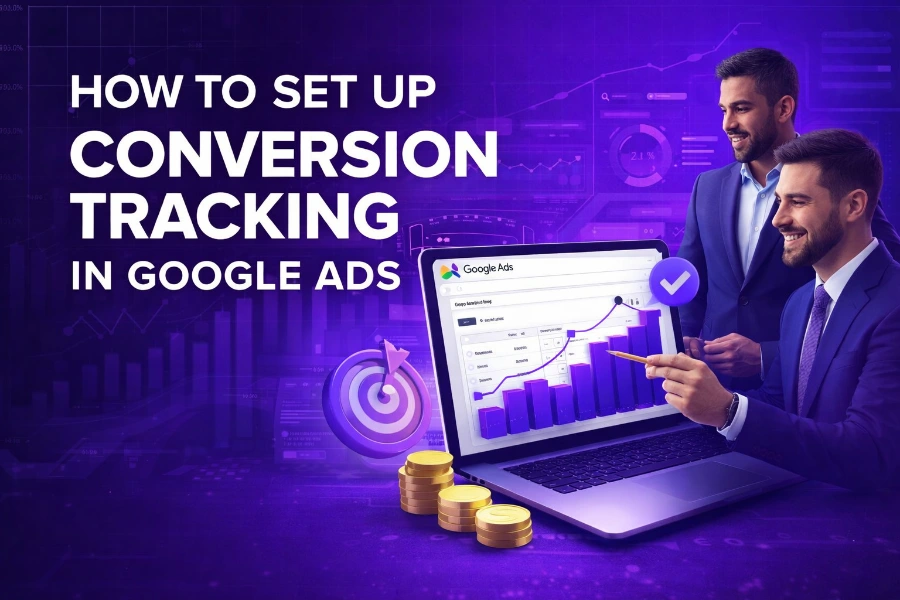
Setting up conversion tracking in Google Ads is one of the most powerful steps you can take to improve campaign performance and make smarter marketing decisions. Without accurate tracking, you are essentially guessing which ads bring results and which ones waste your budget.
In this guide, you will learn exactly how to set up conversion tracking in Google Ads, understand how it works, and apply advanced strategies to improve your return on investment. Keep reading because every step you implement here directly impacts your ad success.
What Conversion Tracking Means In Google Ads
Conversion tracking lets you measure valuable user actions that occur after someone clicks your ad, such as purchases, signups, or downloads. These actions are the backbone of campaign optimization because they show what truly drives results.
When you understand conversions, you can stop focusing on clicks and start focusing on outcomes that grow your business. That shift alone is what separates average advertisers from high-performing ones.
To truly maximize your performance, you need tools that help you track conversions and funnels in one place while maintaining data clarity across campaigns. This approach ensures that every decision you make is backed by real insights instead of assumptions.
Types Of Conversions You Can Track
You can track different types of conversions depending on your business goals, and each type provides unique insights into user behavior. Choosing the right conversion type is critical because it determines how you evaluate success.
Here are common conversion types you should focus on:
- Purchases from your website
- Form submissions or lead generation
- Newsletter signups
- Phone calls from ads
- App downloads or installs
Each of these conversions represents a different stage in the customer journey, and tracking them helps you understand where users drop off or convert successfully.
How To Create A Conversion Action In Google Ads
The first step in setting up conversion tracking is creating a conversion action inside your Google Ads account. This action defines what you want to measure and how Google records it.
To do this, go to Tools and Settings, select Conversions, then click on New Conversion Action and choose your source such as website or app. After that, define your conversion details like name, value, and count settings.
You should always assign a value to your conversions because it helps Google optimize campaigns based on revenue instead of just actions. This makes your campaigns more profitable over time.
How To Install The Google Ads Tag
After creating your conversion action, you need to install the Google Ads tag on your website. This tag tracks user actions and sends data to Google Ads.
You will receive two important pieces of code: the global site tag and the event snippet. The global tag goes on every page, while the event snippet triggers on specific conversion actions.
Proper installation ensures that every conversion is recorded accurately, which is essential for reliable reporting and campaign optimization.
Using Google Tag Manager For Better Control
Google Tag Manager simplifies the entire process by letting you manage tracking without repeatedly editing your website code. This tool is especially useful if you want flexibility and faster implementation.
Instead of placing code directly on your site, you create tags, triggers, and variables inside GTM. This setup allows you to track multiple events with precision and minimal technical effort.
Understanding how systems like content generators and how to use them effectively, can automate processes, and also help you see how structured tools improve efficiency, just like GTM streamlines tracking workflows.
Setting Up Conversion Triggers Correctly
Triggers determine when your conversion tracking fires, and they must match user actions precisely. If triggers are incorrect, your data becomes unreliable.
For example, a purchase conversion should trigger only after a successful transaction, not when someone lands on a checkout page. Similarly, a form submission should trigger only when the form is completed.
Accurate triggers ensure your data reflects real user behavior, which is essential for making informed decisions.
Testing Your Conversion Tracking Setup
Testing is a step you should never skip because even small errors can lead to inaccurate data. After setting up your tags, you need to confirm they fire correctly.
Use tools like Google Tag Assistant and GTM Preview mode to simulate user actions and verify that conversions are recorded properly. This helps you catch issues before they affect your campaigns.
You should also perform real actions, such as submitting a test form or making a test purchase, to ensure your tracking works in live conditions.
Understanding Conversion Attribution Models
Attribution models determine how credit is assigned to different touch points in the customer journey. Choosing the right model affects how you evaluate campaign performance.
For example, last-click attribution gives all credit to the final interaction, while data-driven attribution distributes credit based on actual user behavior. Each model provides a different perspective.
Using the right attribution model helps you understand which campaigns truly drive conversions, not just which ones complete the process.
Enhancing Tracking With Advanced Features
Advanced features like enhanced conversions allow you to improve tracking accuracy by using additional customer data, such as email or phone numbers. This helps recover lost data due to privacy restrictions.
Another powerful feature is dynamic conversion values, which lets you pass real transaction values instead of fixed amounts. This makes your data more meaningful and actionable.
Learning how tools such as what is an ai writing assistant and how is it beneficial enhance performance through smarter data handling also reflects how advanced tracking improves advertising outcomes.
Client Side Vs Server Side Tracking
Client-side tracking uses browser-based scripts to collect data, while server-side tracking sends data through a server before reaching analytics platforms. Each method has its strengths and limitations.
Client-side tracking is easier to set up but can be affected by ad blockers and browser restrictions. Server-side tracking, on the other hand, offers better data reliability and privacy control.
Choosing the right approach depends on your business needs, but combining both methods often delivers the best results.
Common Mistakes To Avoid
Many advertisers make mistakes that lead to poor data quality and wasted budget. Avoiding these errors will significantly improve your tracking accuracy.
Some common mistakes include:
- Tracking the wrong events
- Not testing tags before launching campaigns
- Using incorrect conversion values
- Ignoring attribution settings
Fixing these issues ensures your campaigns are based on accurate data, which leads to better decision-making.
How Conversion Data Improves Campaign Performance
Conversion data allows Google Ads to optimize your campaigns using machine learning. The more accurate your data, the better Google can adjust bids and targeting.
For example, if your campaigns consistently track conversions, Google can identify high-performing audiences and prioritize them automatically. This leads to improved ROI over time.
Accurate data also helps you identify under performing campaigns and make adjustments before wasting budget.
Key Metrics You Should Monitor
Tracking conversions is only the beginning because you also need to analyze key metrics to improve performance. These metrics help you understand how well your campaigns are working.
Important metrics include:
- Conversion rate
- Cost per conversion
- Return on ad spend
- Click-through rate
Monitoring these metrics regularly helps you make data-driven decisions that improve campaign efficiency.
Conclusion
Setting up conversion tracking in Google Ads is not just a technical task but a strategic move that defines how successful your campaigns become. When you track the right actions, test your setup properly, and use advanced features, you gain a clear understanding of what drives results.
You should focus on accuracy, consistency, and continuous improvement because conversion tracking is not a one-time setup. As your campaigns evolve, your tracking strategy should evolve as well.
By applying the steps outlined in this guide, you position yourself to make smarter decisions, reduce wasted spend, and achieve better outcomes from your advertising efforts.
FAQs
What is conversion tracking in Google Ads, and why is it important
Conversion tracking in Google Ads helps you measure actions users take after clicking your ads, such as purchases or signups. It is important because it shows what drives results, improves targeting, and allows Google to optimize campaigns for better return on investment.
How do you set up conversion tracking in Google Ads
To set up conversion tracking, create a conversion action in Google Ads, install the global site tag and event snippet, or use Google Tag Manager. Then test your setup to ensure conversions are recorded correctly before launching campaigns for accurate performance data.
What types of conversions can you track in Google Ads
You can track purchases, form submissions, phone calls, newsletter signups, app installs, and more. Each conversion type represents a different user action, helping you understand customer behavior and optimize campaigns based on what actions matter most to your business goals.
Do you need Google Tag Manager for conversion tracking
You do not need Google Tag Manager, but it makes tracking easier and more flexible. GTM allows you to manage tags, triggers, and variables without editing code directly, helping you track multiple conversions accurately while simplifying updates and testing processes.
How do you test if conversion tracking is working properly
You can test conversion tracking using Google Tag Assistant and GTM Preview mode to simulate user actions. Perform real actions like submitting forms or completing purchases to confirm tags fire correctly and that conversions appear in your Google Ads dashboard.
What is the difference between conversion ID and conversion label
The conversion ID identifies your Google Ads account, while the conversion label identifies a specific conversion action. Both are required when setting up tracking tags, ensuring that Google correctly records and attributes each conversion event to the right campaign.
What are enhanced conversions in Google Ads
Enhanced conversions improve tracking accuracy by using first-party data such as email addresses or phone numbers. This helps recover lost conversion data caused by browser restrictions and privacy changes, allowing Google Ads to better measure performance and optimize campaigns effectively.
Can conversion tracking improve campaign performance
Yes, conversion tracking improves campaign performance by providing data that Google uses for automated bidding and targeting. With accurate tracking, Google identifies high-performing audiences, adjusts bids, and delivers better results, ultimately increasing return on investment and reducing wasted ad spend.
What are the common mistakes when setting up conversion tracking
Common mistakes include tracking the wrong events, using incorrect triggers, failing to test tags, and assigning no value to conversions. These errors lead to inaccurate data, poor optimization, and wasted budget, making it essential to verify your setup carefully before running campaigns.
How long does it take for conversions to appear in Google Ads
Conversions may appear within a few hours but can take up to 24 hours or more, depending on the setup and attribution model. Delays are normal, so you should allow enough time before evaluating performance or making changes to your campaigns.